On this page
What is a phishing website?
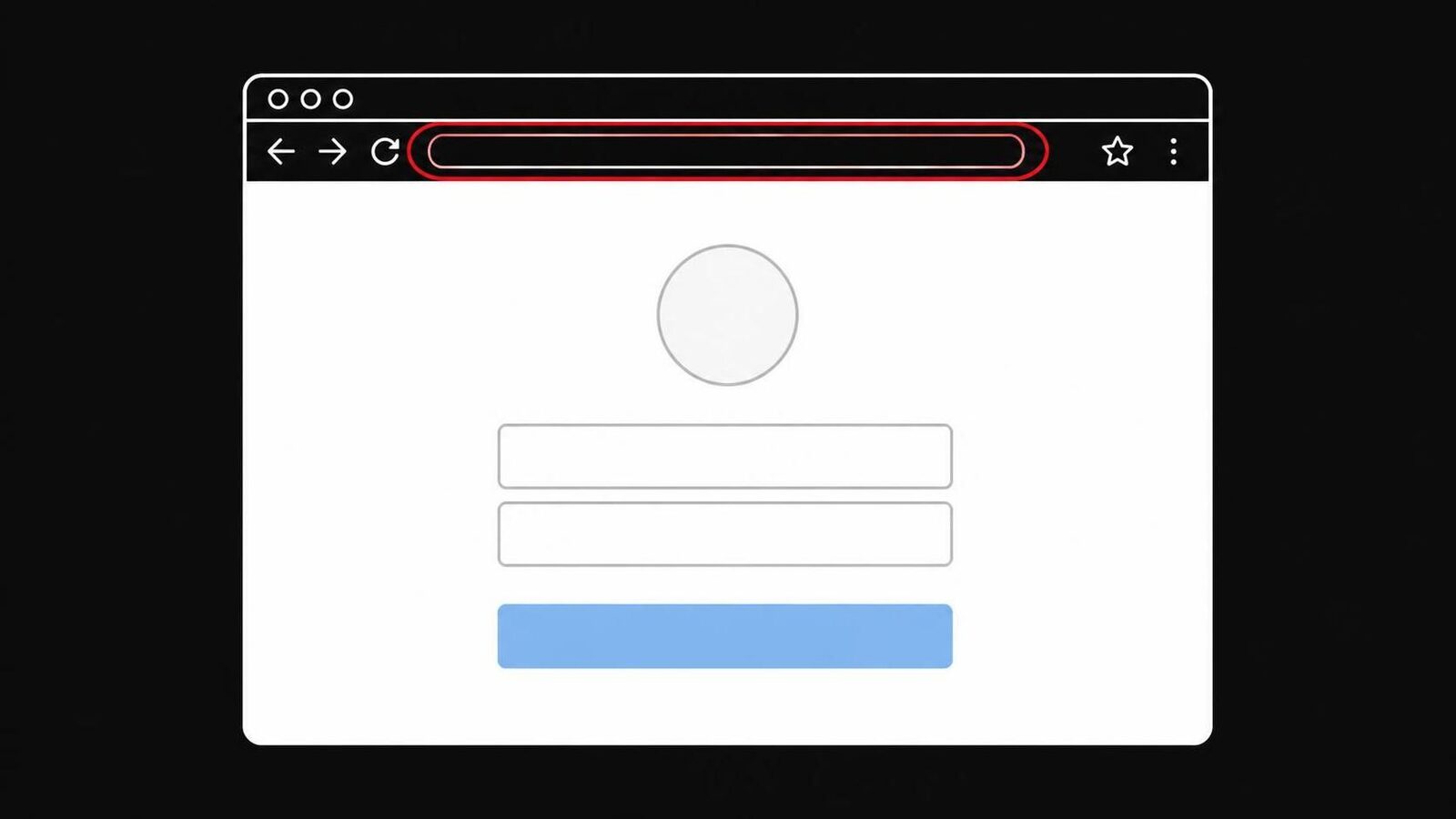
A phishing website is a page that pretends to belong to a company you trust so that you hand over something valuable: a password, a card number, a one-time code, or a phone call to a fake helpline. It sits on an address the real company does not own, and a link in an email, a text or an ad brings you there.
The word comes from "fishing": the message is the bait, the website is the hook. The UK's National Cyber Security Centre (NCSC) describes the aim of a phishing message as getting you to a website that may download a virus or steal bank details and other personal information.[11] The FBI defines phishing as messages "purportedly from a legitimate company requesting personal, financial, and/or login credentials".[2]
Most people picture the email. But the email can only ask. The website is where the damage happens, because that is where you type. This is why the advice in this guide is about the page, not the message.
What to do: whenever a message wants you to log in, pay or call, treat the page it opens as unknown until you have checked its address.
Three kinds of phishing page
Almost every phishing website is one of three kinds: a fake login page that wants your password, a fake payment page that wants your card, or a fake warning page that wants you to call a number. Each has its own way in and its own giveaway. This table shows them side by side.
| Kind | How people get there | What it asks for | The giveaway |
|---|---|---|---|
| Fake login page | Email or text: "account locked", "unusual sign-in" | Email address, password, one-time code | An address the company doesn't own |
| Fake payment page | Text about a parcel, a toll, a fine or a refund | Card number, expiry date, security code | A small fee you didn't expect, odd address |
| Fake warning page | A wrong click, an ad, a typo in an address | A phone call, then remote access, payment | A phone number on a "security" warning |
Fake login pages copy banks, email providers, social networks and streaming services. The Anti-Phishing Working Group (APWG), which collects reports from security companies, found that in the last quarter of 2025 social media and webmail services were the most attacked sectors, each with 20.3 percent of all phishing attacks, ahead of telecom providers at 18.7 percent.[1] Our guide How to spot a fake bank login page goes through bank pages in detail.
Fake payment pages ask for a small sum, often a parcel or customs fee, so that you type in your card details. The small sum is not the point; the card is. More in Fake payment pages: how scammers steal card details and fake parcel fee pages.
Fake warning pages fill the screen with a virus alert and a phone number. They are covered in their own section below.
Why the design proves nothing
A phishing page copies the design of the real one, often perfectly, so the look of a page tells you very little. Germany's federal security agency BSI says that both the phishing email and the website it links to are usually carefully imitated, down to the logo, colours and fonts.[14] Spotting a fake by its look is a game you lose.
The padlock doesn't help either. It means the connection is encrypted, not that the site belongs to who it says. The FBI warned that criminals are "banking on the public's trust of 'https' and the lock icon" and advises not to trust a website just because it has one.[3]
The numbers show how often this works:
- Phishing sites by the million. The APWG observed 3.8 million phishing attacks in 2025, up slightly from 3.76 million in 2024. In the last quarter alone it counted 853,244.[1]
- The most reported crime. The FBI's Internet Crime Complaint Center received 191,561 phishing and spoofing complaints in 2025, more than for any other type of crime.[2]
- Older people are hit the most often. People aged 60 and over filed 48,064 phishing and spoofing complaints, more than for any other crime type in that age group.[2]
What to do: stop judging a page by how real it looks. Judge it by its address and by how you got there.
Read the address the right way
The address is the one part of a phishing website a scammer can't copy, because the real company owns its name. But it only helps if you read the right part. Find the first single slash after https:// and read the two parts just before it. That pair is the owner of the site. Everything to the left of it can be made up. With two-part endings like .co.uk, read three parts: examplebank.co.uk.
Here is how that works with a made-up bank called Examplebank, whose real address is examplebank.com:
| Address in the bar | Who owns it | Real or fake? |
|---|---|---|
examplebank.com/login | examplebank.com | Real |
online.examplebank.com/login | examplebank.com | Real |
examplebank.com.account-check.net/login | account-check.net | Fake |
examplebank-secure.com/login | examplebank-secure.com | Fake |
exarnplebank.com/login | exarnplebank.com | Fake |
login-help.net/examplebank.com/ | login-help.net | Fake |
The third line is the most common trick: the real name appears at the start, but the owner is the part at the end. The fifth uses "rn" to look like "m". The last puts the real name after the slash, where anyone can write anything. The FBI names misspellings and wrong endings, like ".com" where ".gov" belongs, as signs to look for.[3]
How to spot a phishing website by its address
- Find the first single slash after https://
- Read the two parts just before it. Is that the company's own name, spelled right?
- Ignore everything further left. "examplebank" there proves nothing.
- Look for swapped letters, extra words like "secure" or "verify", and odd endings.
- Not sure? Close the tab and type the company's address yourself.
Some links hide the address until you tap them. The BSI notes that scammers use link shorteners so the real destination isn't visible at once.[14] QR codes do the same on paper and on screens; the APWG tracks them as their own way into phishing.[1] With both, the only check left is the address bar after the page opens, which is why reading it matters. Our guide How to check a link in an email before you click shows how to see where a link goes before you open it, and lookalike domains collects more tricks with names.
What to do: on a phone, tap the address bar to see the full address before you type anything. On a computer, look at the top of the window, not at the logo on the page.
Other signs of a fake login page
Besides the address, three things give a fake login page away: how you got there, the pressure it puts on you, and what it asks for. A real login rarely starts with a message that something is wrong. A fake one almost always does. And one quiet sign is free to use: your password manager stays empty.
- You came from a message. The FTC says real companies won't email or text you a link to update your payment information.[4] If a message brought you to a login page, that alone is reason to stop and go to the site another way.
- It's in a hurry. "Your account will be closed in 24 hours", "unusual sign-in detected", "confirm now". Pressure is there to stop you from checking.
- It wants everything. Your password, then your card number, then your date of birth, then a code from your phone. A bank login asks for your login. A page that asks for all of it at once is collecting.
- Your password manager doesn't fill in. The NCSC says a password manager in a browser shouldn't provide a password for an incorrect site.[7] If your browser normally fills in your bank password and suddenly offers nothing, the address is not your bank's. Don't type it in by hand.
What to do: if a login page came from a link in a message, close it, open the app or type the address yourself, and log in there. If the warning was real, you will see it there too. The FTC gives the same advice: contact the company through a phone number or website you know is real.[4]
Fake virus warnings are phishing pages too
A fake virus warning is a phishing website that wants a phone call instead of a password. It fills the browser with alarms, a countdown and a "support" number. The person who answers asks for remote access to the computer and then for money. Real warnings from Windows, Apple or your antivirus never show a number to call.
The FTC is clear: "Real security pop-up warnings and messages will never ask you to call a phone number."[5] Microsoft says the same about its own error messages and those of other big tech companies.[6] These pages often make it look as if the computer is locked; Microsoft describes pop-ups that "may appear to block access to your machine so that you can't close them".[6] Usually only the browser window is stuck.
The losses are large. The FBI recorded 47,794 tech support complaints in 2025 and $2,134,675,818 in losses.[2] People aged 60 and over lost $1,040,730,043 of that to tech and customer support scams.[2]
- Don't call the number on the screen.
- Close the browser. On Windows, press ALT+F4.
- If it won't close, restart the computer.
- Open the browser again and don't restore the last session.
- If you already called and let someone in, turn the computer off and read on below.
The ALT+F4 and restart steps come from Microsoft.[6] What to do next, including after someone has had remote access, is in Fake virus pop-up on your screen: what to do and The fake Microsoft support scam explained. If the warnings keep coming back even when the browser is closed, a site may have been allowed to send notifications: How to stop scam notifications in Chrome, Edge and Firefox shows how to turn them off.
What happens if you click a phishing link
Opening a phishing website is usually not the harm. Typing into it is. The NCSC says that when someone clicks a bad link, one of two things generally happens: they are persuaded to enter their login details into a fake page, or they download a malicious file.[7] Attacks through the browser itself are less common, it says, and mostly found in high-end attacks.[7]
So it helps to ask three questions, in this order:
- Did you type anything? A password, a card number, a code, your address. If not, the page has nothing from you.
- Did you download or open a file? A "document", an "invoice", an app or an update the page offered.
- Did you call a number or let someone onto the computer?
If the answer to all three is no, close the tab, delete the message and move on. Keeping your browser and system updated is what makes the third kind of attack rare, so let them update automatically; the FTC recommends the same for security software.[4]
If you downloaded something, the FTC advises updating your security software, running a scan and removing anything it flags.[4] If you typed something in, the next section is for you.
If this happened to a parent, keep the tone calm. The NCSC points out that the stigma of clicking can stop people from reporting it, which delays the response.[7] A quick "thanks for telling me" gets you the details you need, while there is still time. More on that in My parent clicked a scam link: what to do.
Typed something in? Do this now
Act within the hour, starting with what can cost money. If you typed card or bank details, call the bank first: a payment can sometimes still be stopped. Then change the password you typed, everywhere you use it, and sign out other sessions. Then report the page so it gets blocked for others.
- Card or bank details typed in: call your bank on the number on your card. Ask them to block the card and watch for payments.
- Password typed in: change it now on the real site, and on every other site where you use the same one.
- One-time code typed in: assume the scammer logged in. Change the password and sign out all devices in the account settings.
- Turn on two-step sign-in, or a passkey, for that account if it isn't on yet.
- Keep the message, the address of the page and screenshots.
- Report the page (see "Where to report a phishing site" below).
- Watch the account and your statements for a few weeks.
The FTC says to change a password right away if you gave it to a scammer, including on other accounts where you reused it.[5] In the US, IdentityTheft.gov gives a recovery plan depending on what was exposed.[4]
The full step-by-step, including email accounts that were taken over, is in Entered your password on a phishing site? Do this now.
How to protect yourself from phishing sites
The habits that work best don't depend on spotting fakes at all. Go to important sites yourself instead of through links, let a password manager or a passkey refuse the wrong address for you, and keep a second lock on your accounts. Then add a tool that warns before the page opens.
- Go to the site yourself. Use the app, a bookmark or type the address. A link in a message is the one way in you don't control.
- Use a password manager. It fills in passwords only on the address they belong to, which makes it a quiet phishing check.[7]
- Switch to passkeys where offered. A passkey replaces the password and is tied to your account on the one site it was made for. The FIDO Alliance, which writes the standard, calls passkeys "phishing resistant and secure by design".[9] If an account offers passkeys, you'll find them in its security settings.
- Turn on two-step sign-in, but know its limit. The FTC says it makes it harder for scammers to log in even if they have your password.[4] It is still worth it. But a code can be phished: the US cybersecurity agency CISA describes fake login pages that ask for the six-digit code from your authenticator app along with the password.[8] Never type a code into a page you reached from a link.
- Keep the browser's own protection on. Google Safe Browsing warns before known dangerous sites and helps protect over five billion devices every day, according to Google.[10] Edge has Microsoft Defender SmartScreen, which Microsoft says can help block known phishing websites.[6] These lists only know sites that were reported, so a page that is a few hours old can pass. Is that enough on its own? Our guide Is the browser's built-in protection enough against scams? compares the options.
- Important sites saved as bookmarks or opened through their app
- A password manager set up in the browser
- Passkeys turned on where the bank or email provider offers them
- Two-step sign-in on email, bank and shopping accounts
- Browser protection on, and the browser set to update itself
If you look after a parent's computer, set these up together on your next visit. The guide How to protect elderly parents from online scams walks through it.
Where to report a phishing site
Reporting a phishing website gets it blocked for the next person, and it takes a minute. The NCSC alone says reports to it had led to 263.7k scams being removed across 466,300 web addresses by September 2026.[11] Report the page, forward the message, and if money was lost, report the crime to the police or the fraud office too.
- US: forward phishing emails to the Anti-Phishing Working Group at reportphishing@apwg.org, forward texts to 7726, and report at ReportFraud.ftc.gov.[4] Losses can also go to the FBI at ic3.gov.[2]
- UK: forward scam emails to report@phishing.gov.uk[13] and report a scam website through the NCSC's form.[12] If you lost money, contact Report Fraud (England, Wales, Northern Ireland) or Police Scotland on 101.[12]
- Germany: forward phishing emails to the Verbraucherzentrale's Phishing-Radar at phishing@verbraucherzentrale.nrw, which warns about current waves.[15]
- Spain: call INCIBE's free helpline 017, every day from 8:00 to 23:00, or write on WhatsApp to 900 116 117.[19]
You can also send a phishing site to the company it copies; many have a reporting address on their contact page.[15]
Where a scam blocker fits
All the checks above need someone to do them, at the moment a scary message says to hurry. That is the moment most people skip them. A scam blocker does the first check on every new page, before the person types anything, and steps in when a page looks wrong.
OkayTab is a browser extension for Chrome, Edge and Firefox. It checks each new site a person opens, including fake login pages, fake payment pages and fake virus warnings. When a page looks like a scam, it puts a full-page warning in front of it with one button to go back. When it can't tell, it says "not sure" and lets the person decide. Only a short summary of the page leaves the browser, never what you type. It can't catch every phishing page, so going to important sites yourself still matters most.
The free options are a fair start: Google Safe Browsing and Microsoft Defender SmartScreen already warn about phishing sites that are on their lists.[10][6] OkayTab is for people who want each new page looked at, including the ones that are only hours old.
Questions about phishing websites
What happens if I open a phishing link but don't type anything?
Usually nothing. The NCSC says the harm from a bad link mostly comes from typing your login details into the fake page or from downloading a file it offers. Close the tab, don't download anything, and keep your browser updated. If you did type something, change the password and call your bank if it was card details.
Do two-factor codes protect me on a phishing website?
Partly. Two-step sign-in stops a scammer who only has your password. But a fake login page can ask for the code too and use it at once, as CISA describes. Never type a code into a page you reached from a link. Passkeys are better, because they only work on the site they were made for.
Does the padlock mean a site is not phishing?
No. The padlock means the connection is encrypted. Phishing sites use it too, and the FBI warns not to trust a site because of it. Read the address instead.
Can a phishing site look exactly like my bank?
Yes. Scammers copy logos, colours, fonts and texts, and the BSI says phishing pages are usually carefully imitated. The address is what they can't copy, because your bank owns its name. Open your bank through its app or a bookmark.
Where do I report a phishing website?
In the US, forward the email to reportphishing@apwg.org and report at ReportFraud.ftc.gov. In the UK, forward it to report@phishing.gov.uk and use the NCSC's website form. In Germany, forward it to the Verbraucherzentrale's Phishing-Radar; in France, use Phishing Initiative; in Spain, call 017.
Can OkayTab stop phishing websites?
OkayTab checks each new page you open in Chrome, Edge or Firefox and shows a full-page warning when it looks like a scam, including fake login and payment pages, or "not sure" when it can't tell. No tool catches every phishing page, so opening important sites yourself still matters.
Sources
- Anti-Phishing Working Group: Phishing Activity Trends Report, 4th Quarter 2025 (18 February 2026)
- FBI Internet Crime Complaint Center: 2025 Internet Crime Report
- FBI Internet Crime Complaint Center: Cyber actors exploit "secure" websites in phishing campaigns
- Federal Trade Commission: How to recognize and avoid phishing scams
- Federal Trade Commission: How to spot, avoid, and report tech support scams
- Microsoft: Protect yourself from tech support scams
- National Cyber Security Centre: Telling users to 'avoid clicking bad links' still isn't working
- CISA: Implementing phishing-resistant MFA (October 2022)
- FIDO Alliance: Passkeys
- Google: Safe Browsing
- National Cyber Security Centre: Phishing scams
- National Cyber Security Centre: Report a scam website
- National Cyber Security Centre: Report a scam email
- BSI: Passwortdiebstahl durch Phishing
- Verbraucherzentrale: Phishing-Radar: Aktuelle Warnungen
- Phishing Initiative: Phishing Initiative
- 17Cyber: Assistance en ligne pour les victimes de cybermalveillance
- CNIL: Spam, hameçonnage, arnaques : signaler pour agir
- INCIBE: 017, Tu Ayuda en Ciberseguridad
- INCIBE: INCIBE detectó más de 122.000 incidentes de ciberseguridad en 2025 (9 February 2026)