On this page
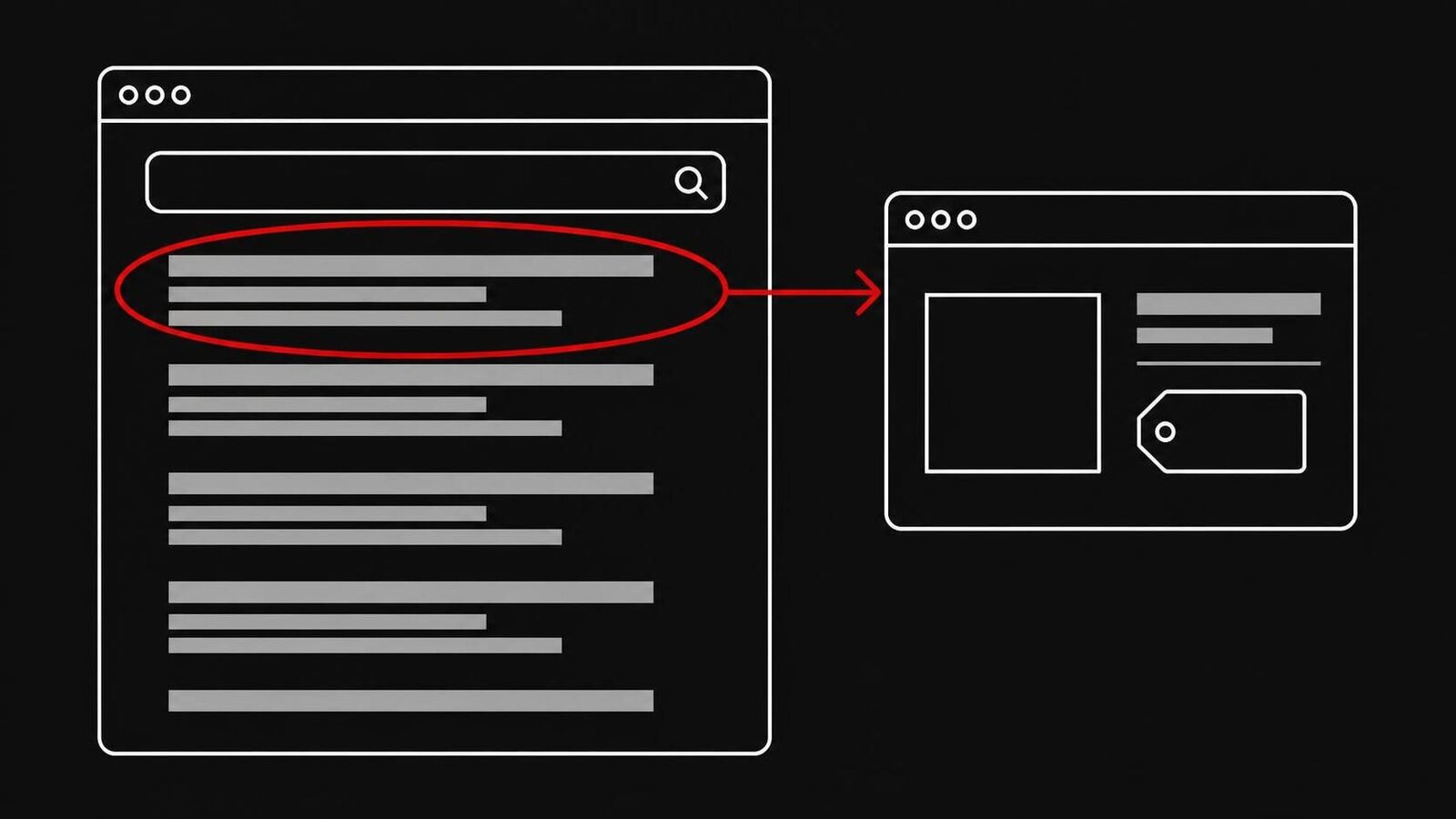
Is the sponsored result at the top of my search a scam? Not always, but anyone can pay for that spot, scammers too. Scroll past the ads, check that the web address belongs to the brand you searched for, and type the address of a shop you already know. If you paid, call your bank today.
Is the sponsored result at the top of my search a scam?
A sponsored result is an ad: someone paid to be shown first. Most are real companies, but the FTC says scammers buy the same spots, and a click can end with a payment to them or your bank details in their hands.[1] Google marks ads "Sponsored", Bing marks them "Ad".[5] That label is your cue to check before you click.
The results below the ads are ranked by relevance, not by who paid, so they are more likely to take you to the right place.[1][4] Scroll down first.
How a scam search ad works
The warnings describe the same chain each time.
- You search for something specific. A hard-to-find gift, a new store, a brand name.[1] In one FTC example, a search for health insurance showed paid listings above the real results, and the first one led to an impersonator.[4]
- The ad borrows a name you trust. Scam ads use another company's name, the name of a government service, or a misleading tagline.[3] Some even show the retailer's real web address in the ad, then send you somewhere else.[7]
- The page has a reason to act now. A price far below normal, a countdown, "only 2 left", or a list of people who just bought.[8] In one case, ads for well-known UK clothing chains led to a wheel that "won" a £750 voucher and then asked for more and more personal data.[7]
- You pay or type in your details. Nothing arrives, or something cheap and different arrives, and your card details or address are now with the scammers.[1][6]
Stop at step 2: the moment the address doesn't match the brand, close the tab.
Real result or scam ad: what to compare
You don't need to be an expert. Compare these five things before you buy.
| Check | Real shop | Scam ad |
|---|---|---|
| Label | often no label, or an ad from the shop you know | "Sponsored" or "Ad" above the normal results[5] |
| Web address | the brand's own domain, such as lidl.es for Lidl Spain[8] | a different or longer name; the ad and the address don't match up[5][8] |
| Shop name | the same name in the ad and on the page | the name in the ad differs from the brand you searched for[8] |
| Price | in line with other shops | far below normal, or not the price the ad showed[5][8] |
| Pressure | none | low-stock warnings, countdowns, fake counts of recent buyers[8] |
If two of these don't fit, leave the page and find the shop yourself.
A verified advertiser is no proof
Google asks advertisers to verify who they are, and the ad details can show a verified name. That doesn't make the shop honest. Which? found a sponsored ad for a cheap paddling pool that led to a fake copy of a warehouse club's site, with an inflatable water slide at £56.09 for something that usually costs more than £150. Google listed the advertiser as verified. It was running 300 ads across Google and YouTube, and reviewers of its sites said they paid and nothing came.[6]
Treat "verified" as a name, not a guarantee, and run the five checks anyway.
Search the safe way
A few habits keep most of these ads out of your way:
- Type the address of a shop you know.
- Scroll past the ads to the normal results.
- Search the shop's name with "complaint" or "scam" before you buy from a store that is new to you.
- For a bill, use the web address or phone number printed on the bill, not one from a search.
All four come from the FTC.[1][3] For phone numbers found the same way, see fake customer service numbers in search results.
Paid through a search ad? Do this today
Start with your bank, the same day.[8]
- Call your bank on the number on your card. Ask it to block the card and dispute the payment.
- Keep screenshots of the ad, the page, the web address and your order confirmation.
- Change any password you typed on the site, and anywhere else you use it.
- Report the shop to the authorities in your country (below).
- Report the ad to the search engine, so it can take it down.
To report an ad on Google, open the ad's "More" or "Info" menu and choose "Report ad". Reporting doesn't hide the ad from you; it asks Google to review it.[11] Which? says Google usually reviews reports within one working day.[5]
Where to report the scam itself:
- US: the FTC at ReportFraud.ftc.gov.[1]
- UK: the Advertising Standards Authority for scam ads, through its online form.[5]
- Germany: your local Verbraucherzentrale; its Fakeshop-Finder checks a shop's address before you buy.[13]
- France: THESEE for a fake online shop, SignalConso for misleading practices (0809 540 550).[12]
- Spain: INCIBE's cybersecurity helpline 017, and the Policía Nacional or Guardia Civil.[8]
The full steps for getting money back are in Paid at a fake shop? How to get your money back.
How many scam ads get through
The search engines remove a lot, and a lot still gets through. Google says it blocked or removed more than 8.3 billion ads in 2025, including 602 million linked to scams, and caught over 99 % of policy-breaking ads before they were shown.[10] In Germany, the federation of consumer centres checked 653 fake shops it had warned about in 2025 and found that half of them had run ads on Google or Meta; the five with the widest reach alone had at least 134 million ad impressions on Google.[9]
The FTC is now asking whether search engines and social networks should check advertisers before ads run, with comments open until 30 November 2026.[2] Until that changes, the check is yours.
Where a scam blocker helps
A scam ad has one job: get you onto the page behind it. OkayTab checks every new site you open in Chrome, Edge or Firefox, including the one an ad sends you to, and puts a full-page warning in front of it when it looks like a scam. When it can't tell, it says "not sure" and lets you decide. No tool catches every fake shop, so typing the address of shops you know still matters most.
More signs every scam site shares: How to tell if a website is a scam. The same ad trick is used for agencies: Fake government websites.
Questions about scam ads in search results
How do I tell a scam ad from the real shop in search results?
Look for the "Sponsored" or "Ad" label, then compare the web address with the brand you searched for. A different name, a price far below other shops, or a countdown are signs of a fake. When in doubt, scroll to the normal results or type the shop's address yourself.
I bought from a shop I found through a search ad and got nothing, what now?
Call your bank today and ask it to dispute the payment. Keep screenshots of the ad, the page and your order. Report the shop to your country's consumer or police service, and report the ad to the search engine so it gets taken down.
Are all sponsored results scams?
No. Most ads come from real companies. But a paid spot says nothing about honesty, because scammers can buy it too. The label tells you to check, not to trust.
Does a verified advertiser mean the shop is real?
No. In a case Which? reported in 2025, Google listed the advertiser behind a fake shop as verified while it ran 300 ads. Run the same checks on every unfamiliar shop.
Can OkayTab spot a scam ad?
OkayTab checks the page an ad leads to when you open it, and warns you when that page looks like a scam. It doesn't change your search results, and no tool catches every fake, so check the address too.
Sources
- Federal Trade Commission: How to avoid holiday shopping scams in your search results (19 November 2026)
- Federal Trade Commission: Tell the FTC about imposter ads online (2 November 2026)
- Federal Trade Commission: Online search results: the good, the bad, and the scammy (3 April 2025)
- Federal Trade Commission: Searching for health insurance? Keep scrolling to avoid government impersonators (9 June 2026)
- Which?: How to spot and report scam search engine adverts (11 August 2026)
- Which?: Scammers buy Google ads to con shoppers with a fake Costco website (14 May 2025)
- Which?: Scammers are buying up adverts on Google to trick Next, TK Maxx and Zara customers (5 April 2023)
- INCIBE: Suplantan al LIDL a través de tiendas online fraudulentas (6 May 2026)
- Verbraucherzentrale Bundesverband: Jeder zweite Fakeshop schaltet Werbung auf Google oder Meta (6 November 2025)
- Google: 2025 Ads Safety Report (16 April 2026)
- Google My Ad Center Help: Report an ad
- Service-Public.fr: Fraude liée à un achat sur internet
- Verbraucherzentrale: Fakeshop-Finder