On this page
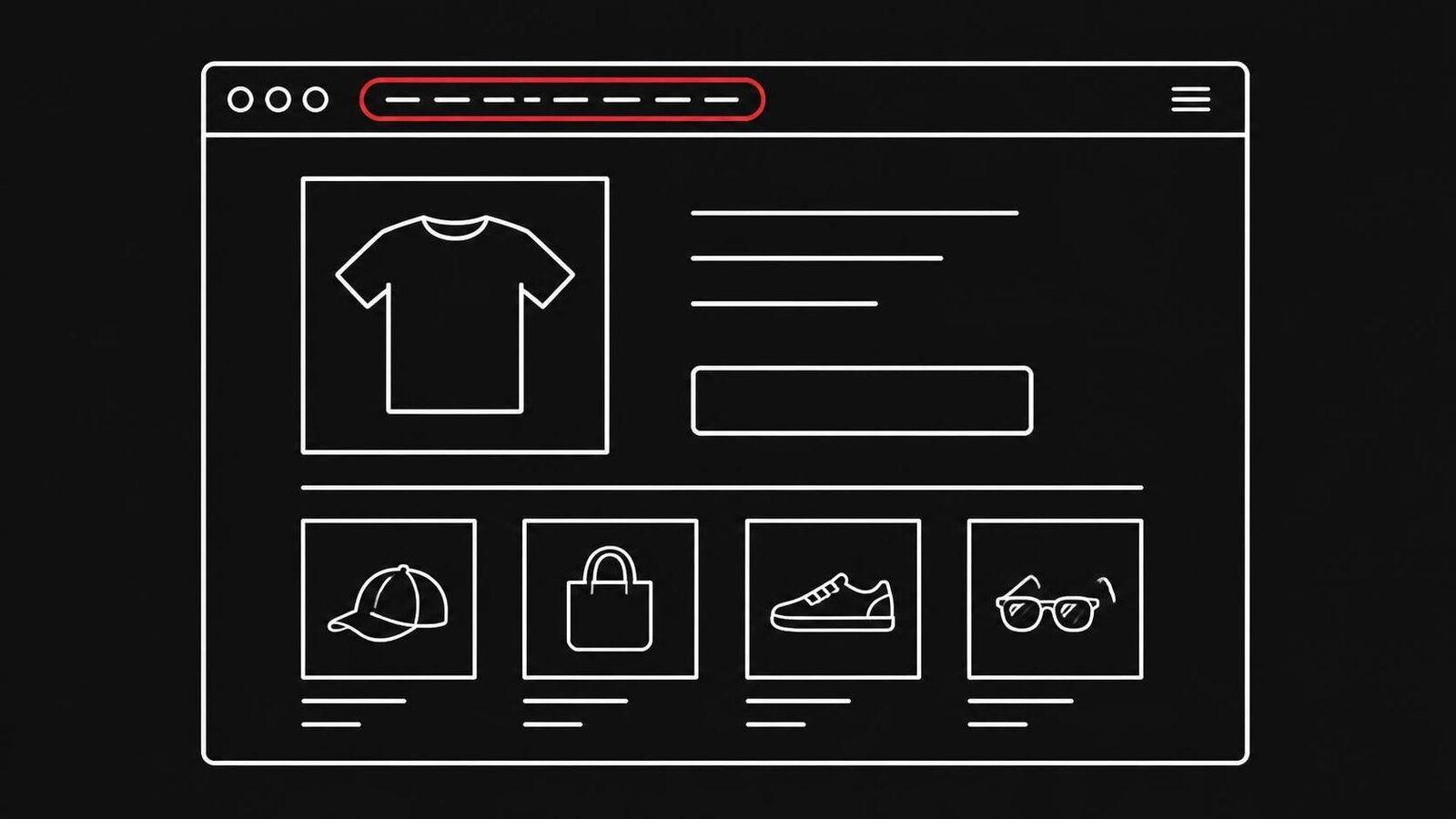
How can I tell if a website is a scam before I pay or log in?
Look past the design. Scam sites copy the look of real ones, and the UK's National Cyber Security Centre says it is easy for a criminal to copy the design of a real website.[15] What gives a scam site away is the address, the missing company behind it and the way it wants to be paid. Use this table as a first pass.
| What to check | A real site | A scam site |
|---|---|---|
| Address | The brand's own name, spelled right | A brand name with an extra word, a typo or an odd ending |
| Who runs it | Company name, street address, register entry | Missing, an email address only, or copied from a real company |
| Payment | Card, PayPal and other options right to the end | Bank transfer, gift cards or crypto, often only at checkout |
| Price | Close to other sites | Far below every other site |
| Reviews | Mixed reviews on independent sites | Only praise, and only on the site itself |
| Seals | Click through to the issuer's certificate | A picture that leads nowhere |
| Padlock | Yes | Usually yes, too |
If one row falls on the right side, stop before you type in a card number or a password. Then go through the sections below to be sure.
Why a scam site looks real
A scam site looks real because copying is easy. Photos and texts can be taken from real shops, and the padlock is there on scam sites too. The numbers show how often it works: the FBI's Internet Crime Complaint Center recorded 1,008,597 complaints and $20.877 billion in losses in 2025.[1]
Some of the figures in that report matter here:
- Paid and got nothing. 56,478 complaints were about goods or services that were paid for and never came, with $503,373,587 in losses.[1]
- Fake pages that ask for details. Phishing and spoofing were the most reported crime type, with 191,561 complaints.[1]
- Older people lose the most. People aged 60 and over filed 201,266 complaints and lost $7.748 billion, more than any other age group.[1]
The US Federal Trade Commission counted 3 million fraud reports and $15.9 billion in reported losses for the same year.[2] Many start with an ad. In 2025, nearly 30% of people who reported losing money to a scam said it started on social media, and more than 40% of those had ordered something they saw in an ad.[3]
Check the address before anything else
The address is the one thing a scam site can't fully fake. Look at the address bar, not the logo on the page, and read the name from right to left, starting at the ending. A real brand uses its own name. A scam site uses a name that looks like it, with a typo, an extra word or a strange ending.
Things to look for:
- A typo or a swapped letter. The FBI warns of addresses that are "similar to the intended URL but with typos or a misplaced letter".[6] More examples are in our guide to lookalike domains.
- A brand name plus a word. The BSI notes that fake shops often use addresses that refer to a well-known brand.[7] The fake flight booking sites we wrote about added words like "trips" to airline names.
Be careful with search results too. The FBI found that criminals buy search ads for addresses that look like real businesses, and that these ads sit at the very top "with minimum distinction between an advertisement and an actual search result".[6] The same trick puts fake phone numbers in front of people looking for customer service; our guide to fake customer service numbers shows how.
What to do: type the address of a shop, bank or airline you know into the address bar yourself, or use a bookmark. Don't follow an ad or a link in an email to get there.[6]
Find out who runs the site
A real business says who it is and can be found under that name. A scam site hides its owner, or shows one that doesn't exist. Look for a company name, a street address and a way to reach a person, then check that the company exists at that address. This takes two minutes and catches many fake shops.
Where to look:
- The "About", "Contact" or "Imprint" page. German and Austrian sites must have an imprint. The Verbraucherzentrale says it has to give, among other things, the address, the people who represent the company and an email address, and calls a missing imprint a clear warning sign.[8] Watchlist Internet's advice for a shop with no company details, only an email address or a contact form, is short: don't buy anything.[9]
- A real street address. Citizens Advice says a real company's address should include a street name, not just a post office box.[10]
- The company register. Search the company name in the official register of its country. Watchlist Internet warns that scammers now invent imprint details or copy them from real companies, so a name alone proves little.[9] The BSI suggests searching whether the company can be found at the address it gives.[7]
- The age of the address. Scam sites rarely last long. Watchlist Internet notes that fake shops usually exist only a short time.[9] ICANN's free lookup tool at lookup.icann.org shows the date a domain name was registered.[11] A shop that claims 20 years of history on an address registered last month is lying about one of the two.
What to do: if you can't find out who runs the site in a few minutes, don't buy and don't log in.
How a site wants to be paid tells you the most
Payment is the most telling sign, because it is where the scam happens. Scammers want money that can't be pulled back: bank transfers, gift cards, payment apps and crypto. A real shop offers card or PayPal, which you can dispute. If a site pushes you toward a payment you can't reverse, stop.
The FTC is clear about this: never pay with gift cards, wire transfers, payment apps or cryptocurrency, because scammers use them to make money hard to recover.[4] It recommends paying by credit card, which lets you dispute a charge for something that never came.[4] The NCSC gives the same advice and warns against paying by direct bank transfer.[15]
Watch the checkout closely. A common fake shop trick is to show several ways to pay on the product page, then offer only prepayment by bank transfer at the last step. Both the BSI and the Verbraucherzentrale describe it.[7][8] If that happens, cancel the order. The Verbraucherzentrale explains why: once a transfer is sent, it can only be stopped within seconds to a few hours, depending on the time and day.[8]
- Card or PayPal offered right up to the last step
- No request to pay by bank transfer to a private person or a foreign account
- No gift cards, crypto or payment apps
- The name of the account you pay matches the shop's name
What to do if you already paid is in Paid at a fake shop? How to get your money back.
Prices, pressure, reviews and seals
These signs are weaker on their own, but they add up. A price far below every other shop, a countdown that pushes you to pay now, reviews that are all perfect and a trust seal that doesn't click through are each reason to slow down. Two of them together are reason to leave.
- Pressure. Timers, "only 2 left" and "offer ends tonight" are there to stop you from checking. A real offer is still there in ten minutes.
- Reviews. Citizens Advice says not to rely on reviews a company has put on its own website; read reviews on several independent sites.[10] The FTC suggests searching the company's name together with "complaint" or "scam".[4] Our guide on fake shop reviews explains why even a scam shop can show good ratings.
For a shop, our step-by-step guide How to spot a fake online shop goes through each of these in detail.
How scam websites trick people
Most scam websites are one of a few kinds, and each needs a way to bring people in: an ad, a search result, an email or a text. Knowing the kind helps you spot it faster. This table shows the common ones, how people usually land on them and what they are after.
| Kind of site | How people get there | What it wants | Our guide |
|---|---|---|---|
| Fake shop | Ads on social media, search results | Payment for goods that never come | Fake online shops |
| Fake outlet ad | Facebook and Instagram ads | Payment, card details | Scam ads on social media |
| Fake parcel fee page | A text or email about a parcel | A small "fee" and your card details | Fake parcel fee pages |
| Fake customer service page | Search results and search ads | A phone call, remote access, payment | Fake customer service numbers |
| Fake booking portal | Ads, price searches | Bank transfer for a trip that is not booked | Fake flight booking sites |
| Lookalike address | Typos, links in messages | Whatever the copied site would get | Lookalike domains |
| Fake login page | Links in emails and texts | Your password and bank details | What is a phishing website |
Fake login pages are a field of their own: they copy a bank, an email provider or a parcel company to get your password. The checks in this guide still apply, and our guide on phishing websites adds the signs that are specific to them.
What to do: if you came to a site through an ad, a text or an email, treat it as unknown, however familiar the name looks.
Free tools that check a site for you
Free checkers are worth a minute, but they only know about scam sites someone has already reported or that their rules can catch. A new scam site, a few days old, often passes. Use them as one more check, never as the final answer.
- Google Safe Browsing. It shows a warning when someone tries to open a site Google knows is dangerous. Google says Safe Browsing helps protect over five billion devices every day, and its Transparency Report has a Site Status tool where you can look up a single address.[12]
- Fakeshop-Finder (Germany). The Verbraucherzentrale's free tool rates a shop's address in seconds with a traffic light. By March 2026 it had flagged its 100,000th fake shop and had been used about 10.75 million times.[13] The Verbraucherzentrale itself points out that green only means the shop has not been noticed negatively so far.[14]
- Watchlist Internet (Austria). It keeps lists of fraudulent shops and offers the free Fake-Shop Detector, which warns about fake shops in the browser.[9]
- A plain search. Type the site's name together with "scam", "review" or "complaint".[4] Buyers often warn each other before any list catches up.
How these and other checkers compare, and how far you can trust them, is in Website safety checkers compared.
Our own free website checker reads the page itself instead of looking it up in a list, so it also gives an answer for sites that are only a few days old. Use it the same way: as one more check.
A five-minute check before you pay
Do these steps in order, every time you are about to pay or log in on a site you don't know. Most scam sites fail one of the first three. If one step fails, close the tab and buy somewhere you know.
- Read the address letter by letter, starting at the ending. Is it the brand's own name?
- Ask how you got here. Did you type the address, or follow an ad, a text or an email?
- Go to the checkout before typing anything. Can you pay by card or PayPal?
- Find the company name and street address. Does the company exist there?
- Search the site's name with "scam" and "review".
- Compare the price with two sites you know.
- Click the trust seal. Does it open the issuer's own page?
- Still not sure? Don't pay. Ask someone, or buy from a shop you know.
If you look after a parent's computer, go through this list together once with a real shop and once with a fake one from a warning list. More on that in How to protect elderly parents from online scams.
Already paid or typed in a password?
Act the same day. Call your bank first, because a payment can sometimes still be stopped in the first hours. Then change any password you typed into the site, keep the evidence, and report the site so others are warned. The faster you move, the better your chances.
- Call your bank or card company on the number on your card. Ask them to stop or recall the payment.
- If you typed in a password, change it, and change it anywhere else you use it.
- Keep the address of the site, the order email, screenshots and the bank details you paid to.
- Report the site and the payment.
- Watch your account for payments you don't recognise.
- Don't pay anyone who offers to get your money back for a fee.
That last point matters: the FBI received 10,516 complaints about such "recovery" offers in 2025, with $1.4 billion lost.[1]
Where to report:
- UK: Report Fraud for England, Wales and Northern Ireland, Police Scotland in Scotland, and tell your bank.[15]
- Germany: the police, also online, and your local Verbraucherzentrale for advice.[8]
Step-by-step help with getting money back is in Paid at a fake shop? How to get your money back.
Where a scam blocker fits
The checks above work, but only when someone does them. A person in a hurry, or a parent who panics at a "your parcel is held" page, often doesn't. A scam blocker does the first look for them, on every new site, before money changes hands.
OkayTab is a browser extension for Chrome, Edge and Firefox. It checks each new site a person opens. When a site looks like a scam, it puts a full-page warning in front of it with one button to go back. When it can't tell, it says "not sure" and lets the person decide. Only a short summary of the page leaves the browser, never what you type. It can't catch every scam, so the five-minute check still matters.
Free options are a fair start. Google Safe Browsing already warns about sites Google knows are dangerous,[12] and in Germany and Austria the Fake-Shop Detector warns about known fake shops.[9] OkayTab is for people who want each new site looked at, including the ones that are not on any list yet. If you are choosing for a parent, the best scam protection for seniors compares the free and paid options side by side.
Questions about scam websites
Does the padlock mean a website is safe?
No. The padlock and "https" only mean the connection is encrypted. Scam sites use them too. The FTC, the FBI and Germany's BSI all say not to trust a site because of the padlock.
Can a website checker tell me for sure that a site is safe?
No. Checkers know about sites that were reported or match their rules. A scam site that is a few days old often passes. Treat a good result as "nothing known so far" and still check the address, the company and the payment.
What if the website looks professional?
That tells you little. Scammers copy the design, photos and texts of real shops, and the NCSC says copying a site's design is easy. Look at the address, who runs the site and how it wants to be paid instead.
Where do I report a scam website?
In the US, report it to the FTC at ReportFraud.ftc.gov and to the FBI at ic3.gov. In the UK, use Report Fraud or Police Scotland. In Germany, go to the police and ask your Verbraucherzentrale for advice. Call your bank first if you paid.
Can OkayTab tell if a website is a scam?
OkayTab checks each new site you open in Chrome, Edge or Firefox and shows a full-page warning when it looks like a scam, or "not sure" when it can't tell. No tool catches every scam, so the checks in this guide still matter.
Sources
- FBI Internet Crime Complaint Center: 2025 Internet Crime Report
- Federal Trade Commission: FTC testifies before the Joint Economic Committee on the agency's efforts to combat fraud (March 2026)
- Federal Trade Commission: Reported losses to scams on social media eight times higher than in 2020 (27 April 2026)
- Federal Trade Commission: Online shopping
- FBI Internet Crime Complaint Center: Cyber actors exploit "secure" websites in phishing campaigns
- FBI Internet Crime Complaint Center: Cyber criminals impersonating brands using search engine advertisement services
- BSI: Woran erkenne ich sichere Onlineshops?
- Verbraucherzentrale: Abzocke online: Wie erkenne ich Fakeshops im Internet?
- Watchlist Internet: So schützen Sie sich vor Fake-Shops
- Citizens Advice: Check if something might be a scam
- ICANN: Domain registration data: advanced lookup functionality now available
- Google: Safe Browsing
- Land NRW: Fakeshop-Finder identifiziert den 100.000. Fakeshop (24 March 2026)
- Verbraucherzentrale Niedersachsen: Fakeshop-Finder
- National Cyber Security Centre: Shopping online securely
- INCIBE: Yo no compraría en una tienda online si…